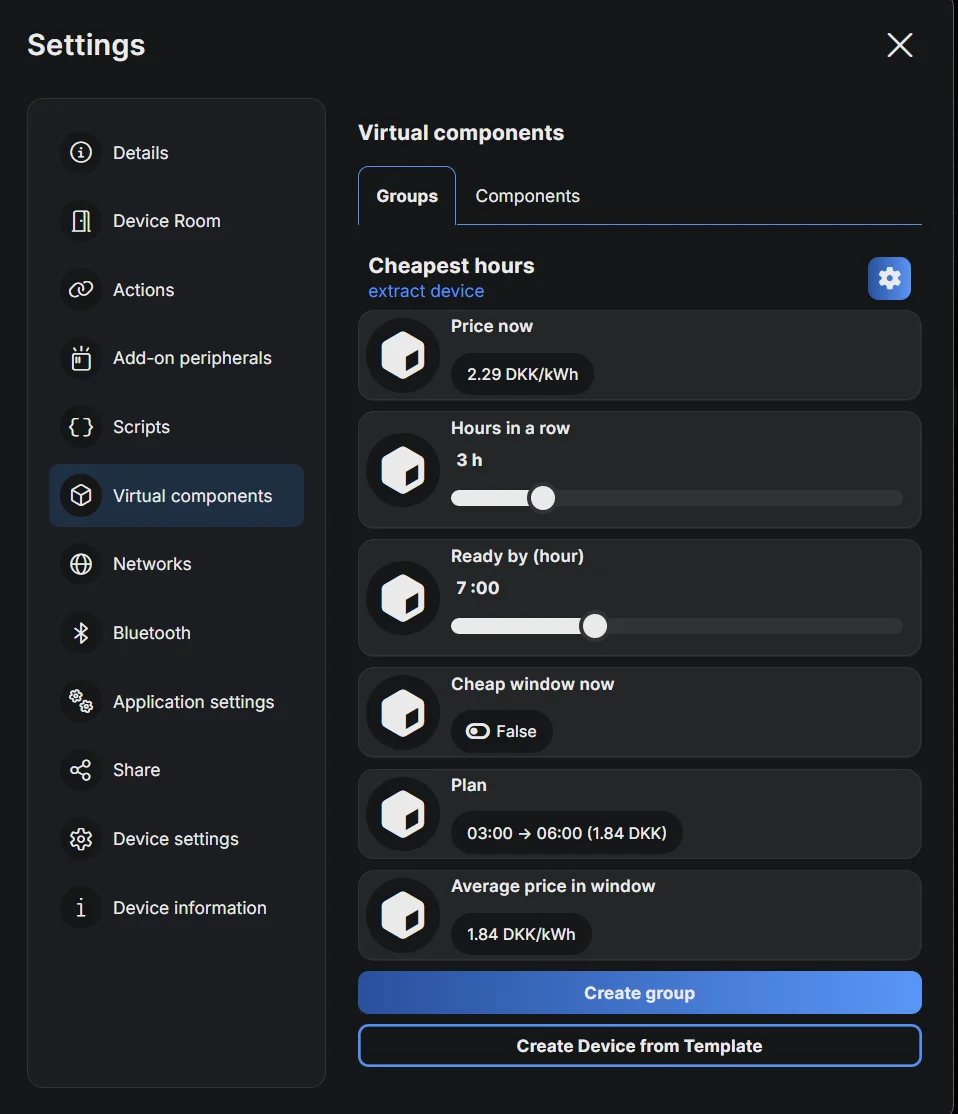
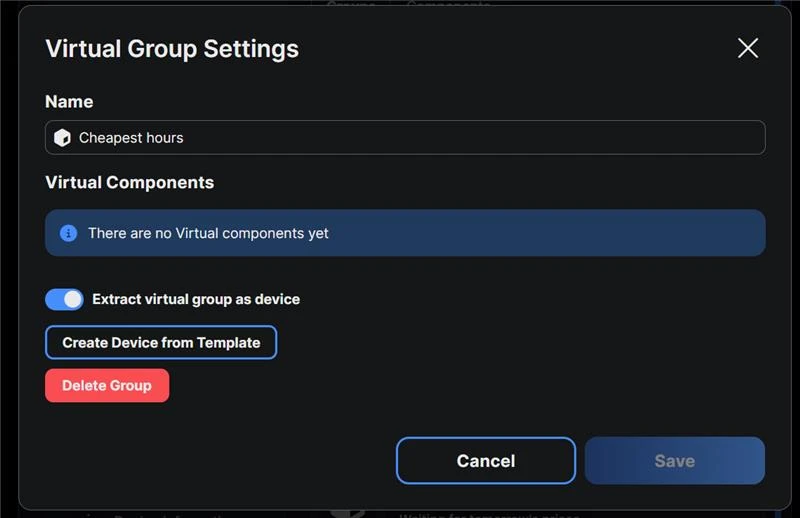
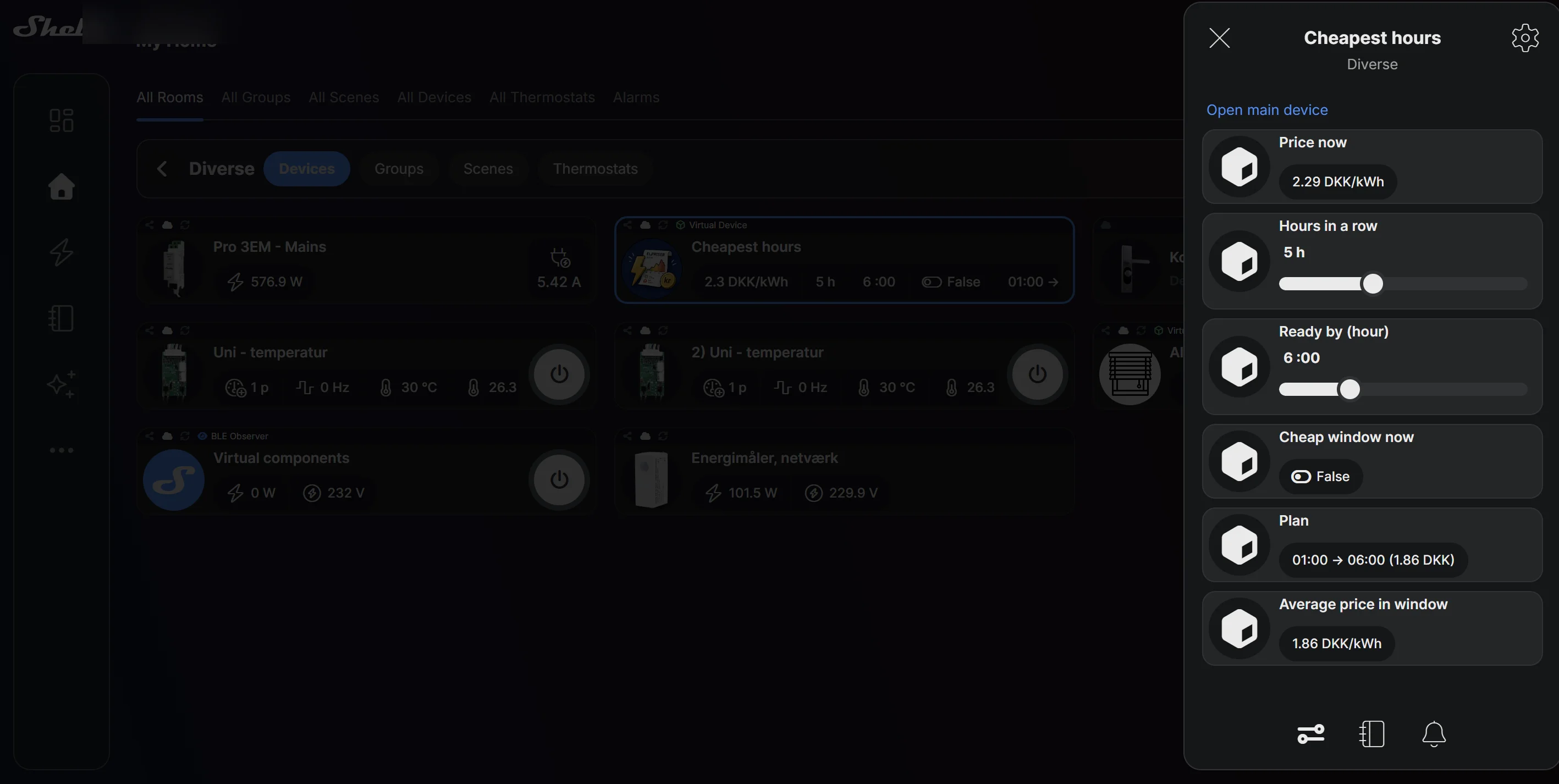
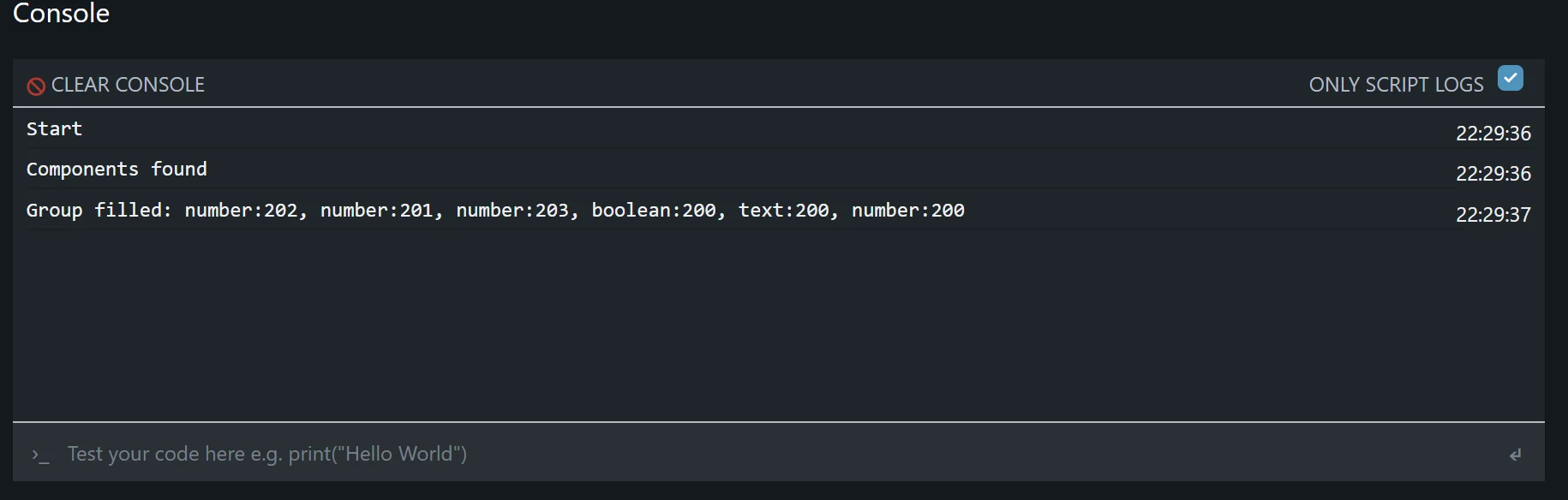
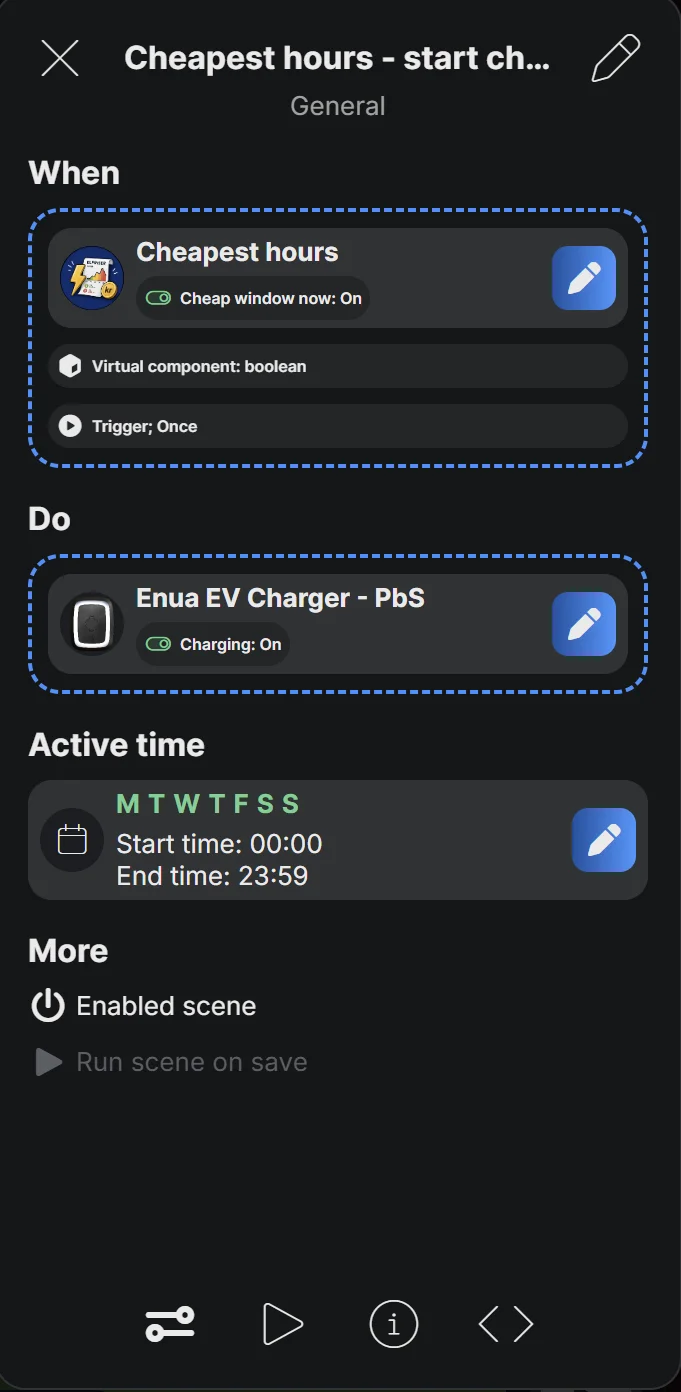
1
Script
Paste the script
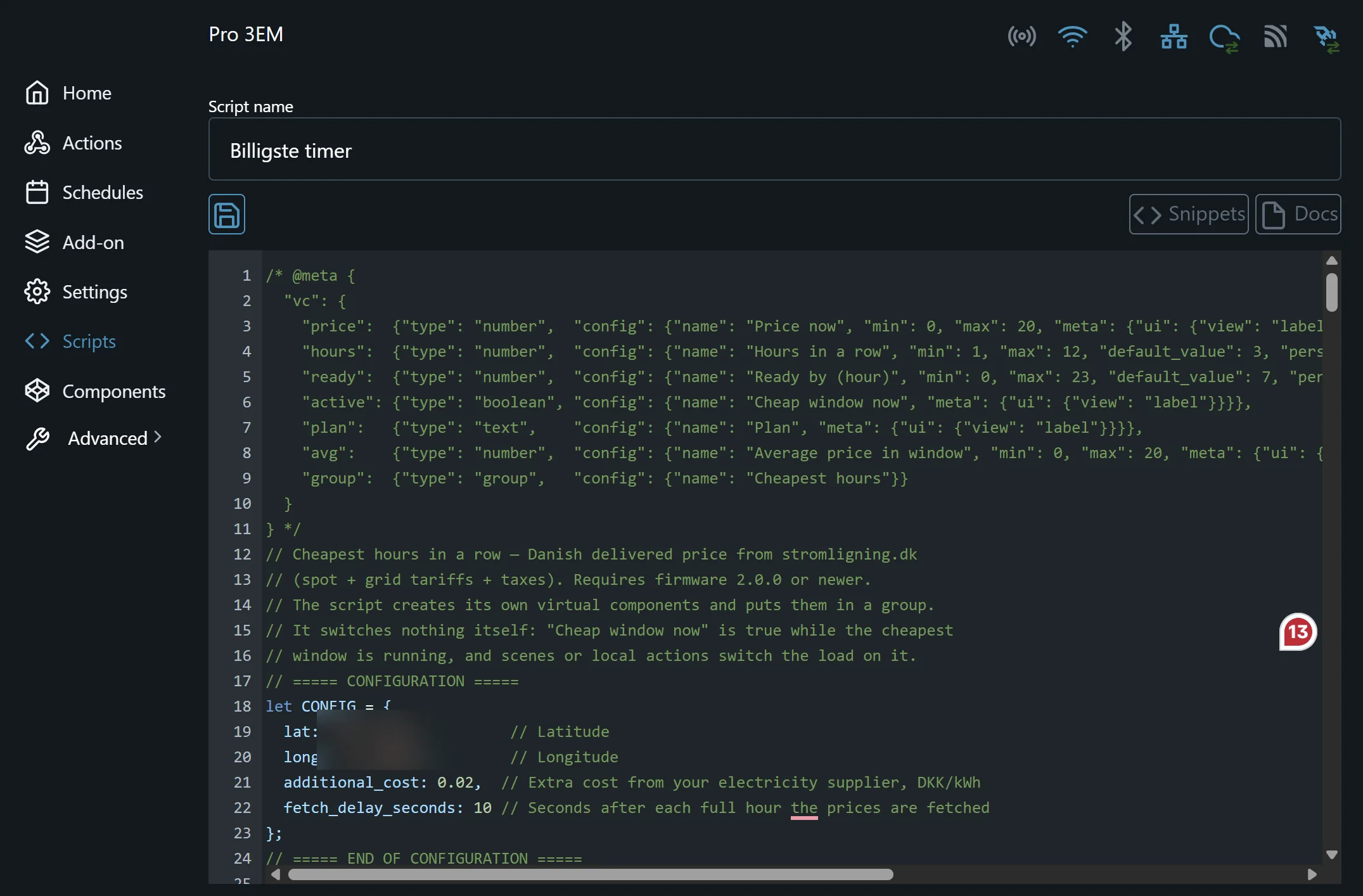
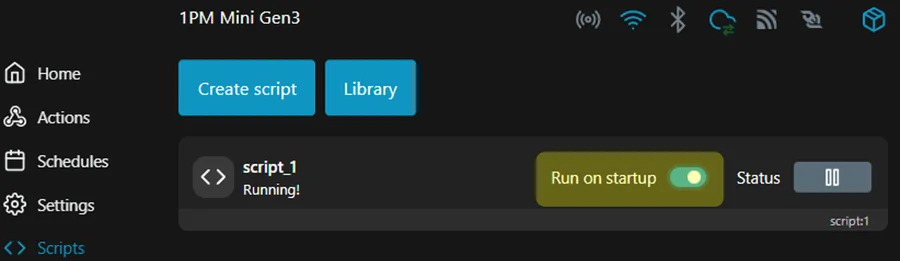
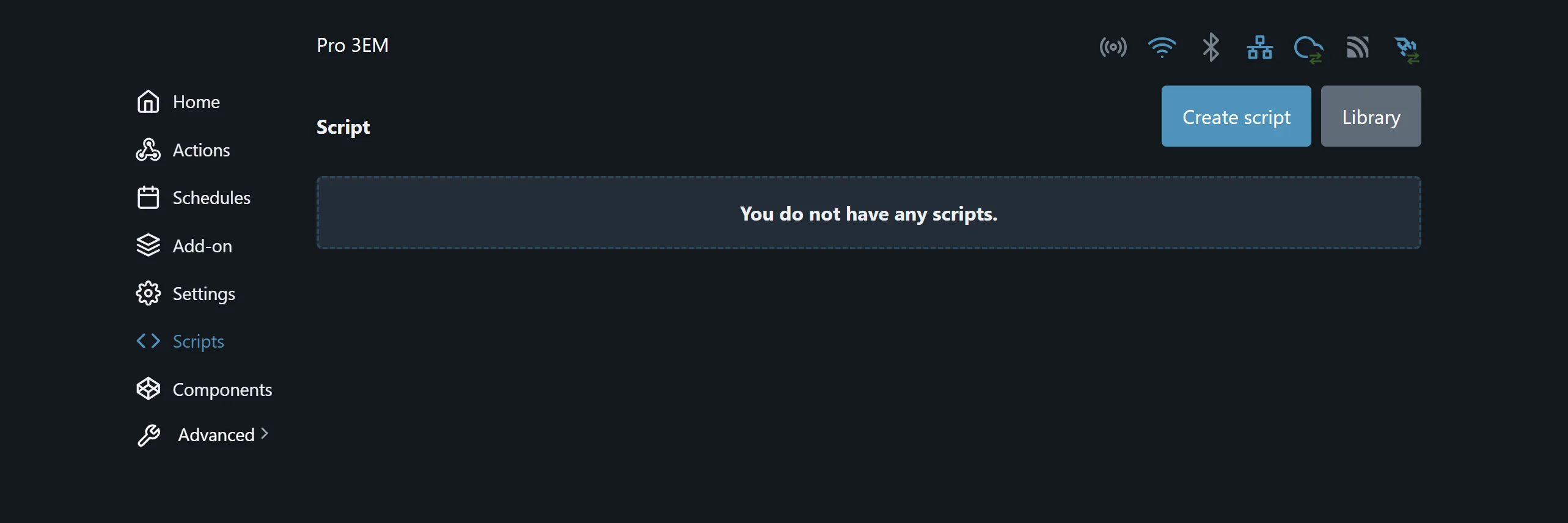
Create a new script on the device, paste the code below and save it. How to add a script shows where, in the app and in the web interface.
/* @meta {
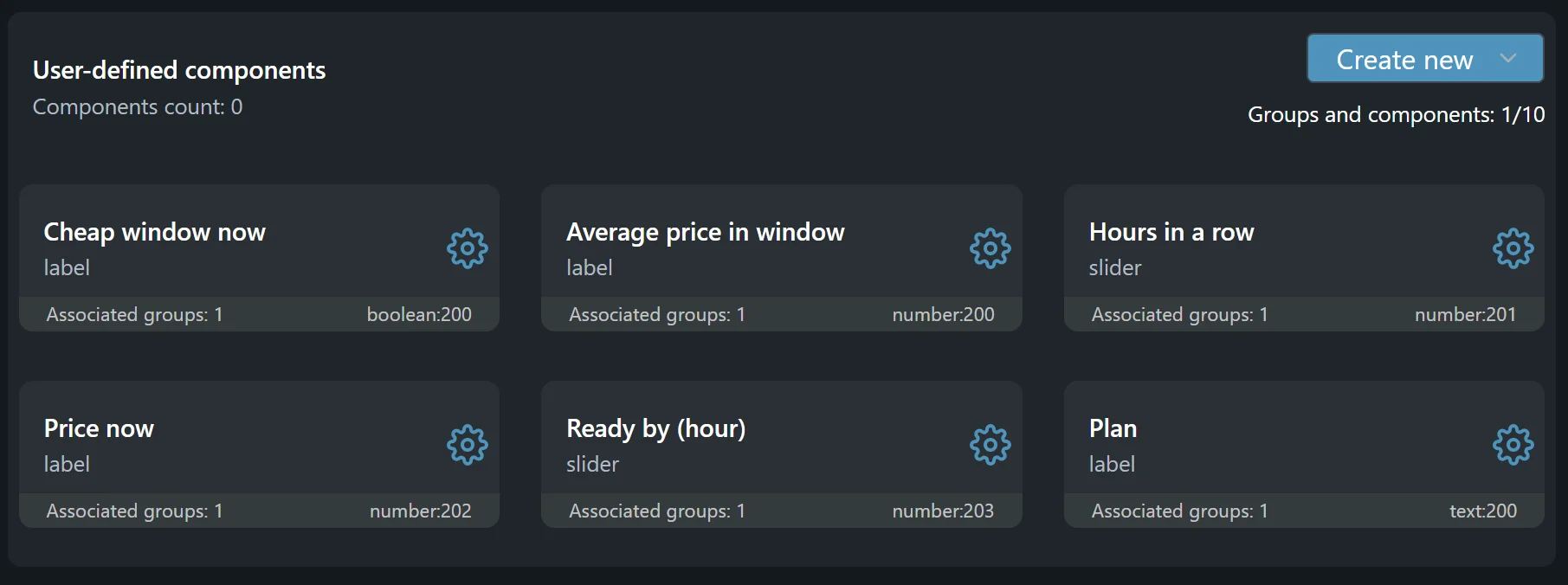
  "vc": {
    "price":  {"type": "number",  "config": {"name": "Price now", "min": 0, "max": 20, "meta": {"ui": {"view": "label", "unit": "DKK/kWh"}}}},
    "hours":  {"type": "number",  "config": {"name": "Hours in a row", "min": 1, "max": 12, "default_value": 3, "persisted": true, "meta": {"ui": {"view": "slider", "step": 1, "unit": "h"}}}},
    "ready":  {"type": "number",  "config": {"name": "Ready by (hour)", "min": 0, "max": 23, "default_value": 7, "persisted": true, "meta": {"ui": {"view": "slider", "step": 1, "unit": ":00"}}}},
    "active": {"type": "boolean", "config": {"name": "Cheap window now", "meta": {"ui": {"view": "label"}}}},
    "plan":   {"type": "text",    "config": {"name": "Plan", "meta": {"ui": {"view": "label"}}}},
    "avg":    {"type": "number",  "config": {"name": "Average price in window", "min": 0, "max": 20, "meta": {"ui": {"view": "label", "unit": "DKK/kWh"}}}},
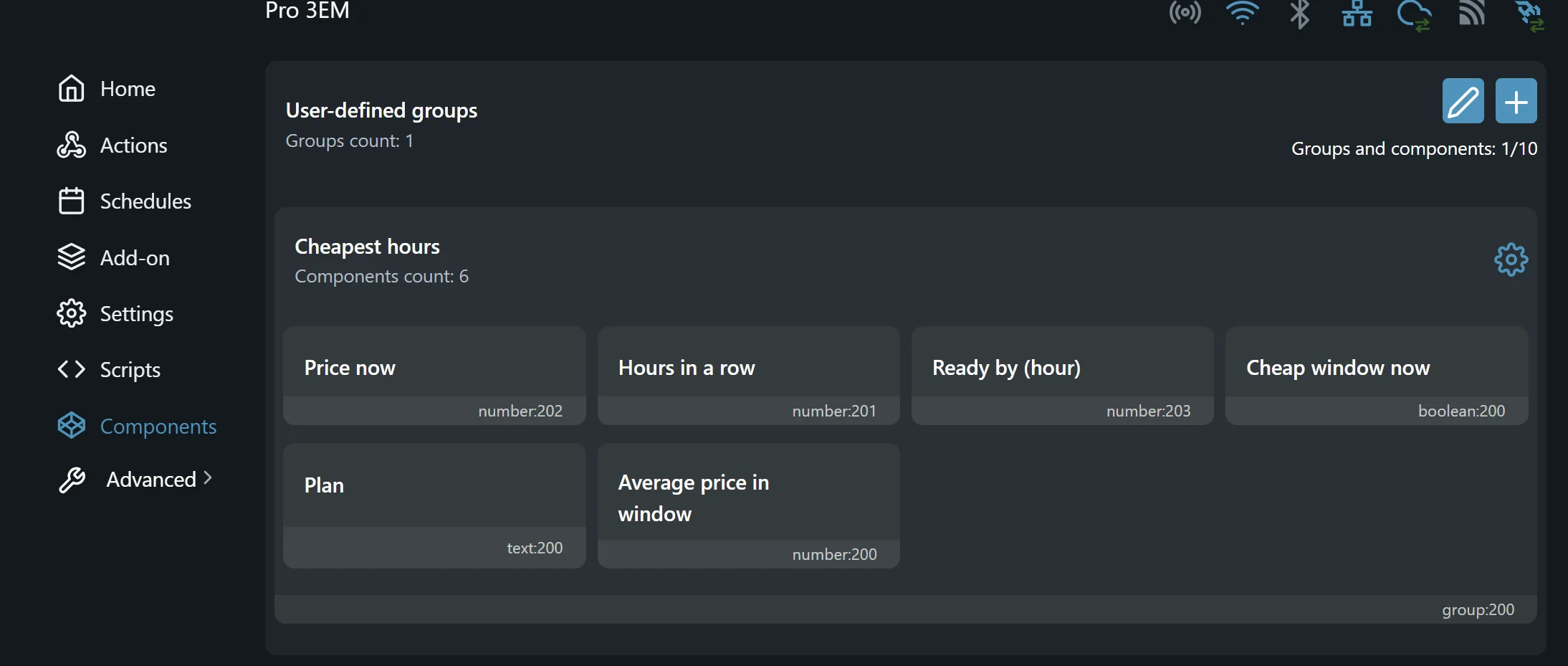
    "group":  {"type": "group",   "config": {"name": "Cheapest hours"}}
  }
} */
// Version 2026-09-29
// Cheapest hours in a row — Danish delivered price from stromligning.dk
// (spot + grid tariffs + taxes). Requires firmware 2.0.0 or newer.
// The script creates its own virtual components and puts them in a group.
// It switches nothing itself: "Cheap window now" is true while the cheapest
// window is running, and scenes or local actions switch the load on it.
// ===== CONFIGURATION =====
let CONFIG = {
  lat: "55.6736",         // Latitude
  long: "12.5681",        // Longitude
  additional_cost: 0.00,  // Extra cost from your electricity supplier, DKK/kWh
  fetch_delay_seconds: 10, // Seconds after each full hour the prices are fetched
  debug: false            // true = detailed log in the console, for troubleshooting
};
// ===== END OF CONFIGURATION =====
let VERSION = "2026-09-29"; // Same date as the Version line at the top
let H = 3600000;
let KVS_KEY = "cheapest_last_deadline";
print("Start — version " + VERSION);
// Handles by role only — never a fixed id such as number:200, so the device's
// other virtual components are never mistaken for this script's own
let vPrice = null;
let vHours = null;
let vReady = null;
let vActive = null;
let vPlan = null;
let vAvg = null;
let vGroup = null;
let SLOTS = 10;        // Virtual components and groups a device can hold
let NEEDED = 7;        // Six components and their group
let VC_TYPES = ["boolean", "number", "text", "enum", "button", "group"];
// One timer for the whole start-up: first the wait for late components, then
// a watchdog on each step that waits for an answer. Never more than one at a time
let stepTimer = null;
let stepName = null;   // The step waiting for an answer, or null
let stepNext = null;   // What runs if it never answers
let STEP_LIMIT = 20;   // Seconds
let retries = 0;
let supplier = null;   // { id, area }
let prices = [];       // Hourly delivered prices, DKK/kWh
let firstTs = 0;       // Start of prices[0], ms
let plan = null;       // { start, end, avg, deadline }
let lastDeadline = 0;  // Deadline served by the last finished window. Kept in KVS across restarts
let waiting = false;   // True while tomorrow's prices are needed but not yet published
let wasActive = null;  // Last state written to the boolean
function pad2(n) {
  return ("0" + n).slice(-2);
}
function round2(v) {
  return Math.round(v * 100) / 100;
}
// Price components are limited to 0–20 DKK/kWh, so a value outside is clamped
function clampPrice(v) {
  return Math.min(20, Math.max(0, v));
}
function hourStart(ts) {
  return Math.floor(ts / H) * H;
}
function hhmm(ts) {
  return pad2(new Date(ts).getHours()) + ":00";
}
function dayHour(ts) {
  let d = new Date(ts);
  return d.getFullYear() + "-" + pad2(d.getMonth() + 1) + "-" + pad2(d.getDate()) + " " + hhmm(ts);
}
// ----- Debug: writes only, never changes a decision. Every caller checks
// CONFIG.debug first, so with debug off no debug string is even built -----
function dbg(s) {
  print("[debug] " + s);
}
function dbgTime(ts) {
  let d = new Date(ts);
  return d.getFullYear() + "-" + pad2(d.getMonth() + 1) + "-" + pad2(d.getDate()) + " " +
    pad2(d.getHours()) + ":" + pad2(d.getMinutes());
}
function dbgCoord(v) {
  return Math.round(parseFloat(v) * 100) / 100;
}
// Prices as "18:2.31 19:2.10 …", at most 12 hours per line
function dbgPrices() {
  let line = "";
  for (let i = 0; i < prices.length; i++) {
    line += pad2(new Date(firstTs + i * H).getHours()) + ":" + prices[i].toFixed(2) + " ";
    if ((i + 1) % 12 === 0 || i === prices.length - 1) {
      dbg("prices " + line.trim());
      line = "";
    }
  }
}
function dbgStart() {
  let info = Shelly.getDeviceInfo();
  let sys = Shelly.getComponentConfig("sys");
  dbg("firmware " + (info ? (info.ver || info.fw_id) : "?") + ", model " + (info ? info.model : "?"));
  dbg("time zone " + (sys && sys.location ? sys.location.tz : "?") + ", local time " + dbgTime(Date.now()));
  dbg("config lat " + dbgCoord(CONFIG.lat) + ", long " + dbgCoord(CONFIG.long) +
    ", additional_cost " + CONFIG.additional_cost + ", fetch_delay_seconds " + CONFIG.fetch_delay_seconds);
}
// ----- Steps: every call that waits for an answer is one step. A step that
// has not answered within STEP_LIMIT seconds is skipped, so nothing can
// hold the script up -----
function clearStep() {
  if (stepTimer !== null) Timer.clear(stepTimer);
  stepTimer = null;
  stepName = null;
  stepNext = null;
}
function stepBegin(name, next) {
  clearStep();
  stepName = name;
  stepNext = next;
  stepTimer = Timer.set(STEP_LIMIT * 1000, false, onStepTimeout);
}
// True if the answer belongs to the step that is waiting. An answer that
// comes after the watchdog is reported and ignored: the script has moved on
function stepEnd(name) {
  if (stepName !== name) {
    print("Step " + name + " answered after " + STEP_LIMIT + " seconds — ignored");
    return false;
  }
  clearStep();
  return true;
}
function onStepTimeout() {
  let name = stepName;
  let next = stepNext;
  stepTimer = null;
  stepName = null;
  stepNext = null;
  print("Step " + name + " did not respond — continuing");
  try {
    if (next) next();
  } catch (e) {
    print("Could not continue after " + name + ": " + e.message);
  }
}
// The first 120 characters of an answer, for the debug log of a failure
function dbgBody(res) {
  return res && res.body ? res.body.slice(0, 120) : "none";
}
// Never calls a handle that may be null, and never lets a failed write stop the script
function setVc(h, v) {
  if (!h) return;
  try {
    h.setValue(v);
  } catch (e) {
    print("Could not write a component: " + e.message);
  }
}
function getVc(h, fallback) {
  if (!h) return fallback;
  let v = h.getValue();
  return typeof v === "number" ? v : fallback;
}
// The script engine has no regular expressions, so colons are replaced by hand
function stamp(ts, minutes) {
  let d = new Date(ts);
  let s = d.getFullYear() + "-" + pad2(d.getMonth() + 1) + "-" + pad2(d.getDate()) +
    "T" + pad2(d.getHours()) + ":" + minutes + ":00";
  return s.split(":").join("%3A");
}
function hoursWanted() {
  let n = Math.round(getVc(vHours, 3));
  if (!(n >= 1)) n = 1;
  if (n > 12) n = 12;
  return n;
}
function readyHour() {
  let h = Math.round(getVc(vReady, 7));
  if (!(h >= 0)) h = 0;
  if (h > 23) h = 23;
  return h;
}
// Average price between two hour boundaries, or null if a price is missing
function avgOf(start, end) {
  let i = (start - firstTs) / H;
  let n = (end - start) / H;
  if (i < 0 || i + n > prices.length) return null;
  let sum = 0;
  for (let j = 0; j < n; j++) sum += prices[i + j];
  return round2(sum / n);
}
// Next time the load has to be done. Skips the deadline the last window
// already served, so a window ending at 05:00 does not start a new one before 07:00
function nextDeadline(now) {
  let d = new Date(now);
  let dl = new Date(d.getFullYear(), d.getMonth(), d.getDate(), readyHour(), 0, 0).getTime();
  while (dl <= now || dl <= lastDeadline) dl += 24 * H;
  return dl;
}
function computePlan() {
  let now = Date.now();
  let n = hoursWanted();
  let deadline = nextDeadline(now);
  // The current hour only counts if we are within its first five minutes
  let from = hourStart(now);
  if (now - from > 5 * 60000) from += H;
  let latestStart = deadline - n * H;
  if (latestStart < from) latestStart = from; // Not enough time left: start as soon as possible
  let knownEnd = firstTs + prices.length * H;
  // Tomorrow's prices are published around 13:00. If the window reaches past
  // the known prices and there is still time, wait for them instead of guessing
  if (CONFIG.debug) dbg("compute: now " + dbgTime(now) + ", hours " + n + ", deadline " + dbgTime(deadline) +
    ", from " + dbgTime(from) + ", latestStart " + dbgTime(latestStart) + ", knownEnd " + (knownEnd ? dbgTime(knownEnd) : "none"));
  if (latestStart + n * H > knownEnd && from < latestStart) {
    if (CONFIG.debug) dbg("waiting: the window may end at " + hhmm(latestStart + n * H) +
      ", prices are known until " + (knownEnd ? hhmm(knownEnd) : "none") + ", and there is still time");
    plan = null;
    waiting = true;
    return;
  }
  waiting = false;
  let best = -1;
  let bestAvg = 0;
  let top = [];  // The three cheapest candidates, for debug only
  for (let s = from; s <= latestStart; s += H) {
    let a = avgOf(s, s + n * H);
    if (a !== null && (best < 0 || a < bestAvg)) {
      best = s;
      bestAvg = a;
    }
    if (CONFIG.debug && a !== null) {
      top.push({ s: s, a: a });
      top.sort(function (x, y) { return x.a - y.a; });
      if (top.length > 3) top.pop();
    }
  }
  if (CONFIG.debug) {
    let t = "";
    for (let k = 0; k < top.length; k++) t += hhmm(top[k].s) + "-" + hhmm(top[k].s + n * H) + " " + top[k].a.toFixed(2) + "  ";
    dbg("cheapest candidates: " + (t || "none"));
  }
  if (best < 0) {
    // No usable prices and no time left: run now so the load is still done on time
    print("No prices for the window — starting now as a fallback");
    plan = { start: from, end: from + n * H, avg: null, deadline: deadline };
  } else {
    plan = { start: best, end: best + n * H, avg: bestAvg, deadline: deadline };
  }
  print("Plan: " + hhmm(plan.start) + "-" + hhmm(plan.end) + ", average " + plan.avg + " DKK/kWh");
  if (CONFIG.debug) dbg("chosen: " + dbgTime(plan.start) + " to " + dbgTime(plan.end));
}
function show() {
  if (plan) {
    let text = hhmm(plan.start) + " → " + hhmm(plan.end);
    if (plan.avg !== null) {
      text += " (" + plan.avg.toFixed(2) + " DKK)";
      setVc(vAvg, clampPrice(plan.avg));
    }
    setVc(vPlan, text);
  } else {
    setVc(vPlan, waiting ? "Waiting for tomorrow's prices" : "No plan");
  }
}
// Written only when a window ends, so a restart before the deadline does not run the load again
function saveLastDeadline() {
  if (CONFIG.debug) dbg("KVS write " + KVS_KEY + " = " + lastDeadline + " (" + dbgTime(lastDeadline) + ")");
  Shelly.call("KVS.Set", { key: KVS_KEY, value: lastDeadline }, function (res, code, msg) {
    try {
      if (code !== 0) print("Could not save the last deadline: " + msg);
      if (code !== 0 && CONFIG.debug) dbg("KVS write failed: code " + code + ", " + msg);
    } catch (e) {
      print("Could not save the last deadline: " + e.message);
    }
  });
}
function evaluate() {
  let now = Date.now();
  if (plan && now >= plan.end) {
    lastDeadline = plan.deadline;
    saveLastDeadline();
    plan = null;
  }
  // A window that has started is locked. Anything else is recalculated,
  // so newly published prices are used right away
  if (!(plan && now >= plan.start)) computePlan();
  let on = plan !== null && now >= plan.start && now < plan.end;
  // Only written on changes, so scenes and actions fire once per start and end
  if (on !== wasActive) {
    setVc(vActive, on);
    let was = wasActive;
    wasActive = on;
    print(on ? "Cheap window started" : "Cheap window ended");
    if (CONFIG.debug && on) dbg("window started and locked: " + dbgTime(plan.start) + " to " + dbgTime(plan.end));
    if (CONFIG.debug && !on && was === true) dbg("window ended at " + dbgTime(now));
  }
  show();
}
function safeEvaluate() {
  try {
    evaluate();
  } catch (e) {
    print("Evaluate failed: " + e.message);
  }
}
function onPrices(res, code, msg) {
  if (!stepEnd("prices")) return;
  try {
    if (CONFIG.debug) dbg("price fetch: rpc code " + code + ", HTTP " + (res ? res.code : "none") +
      ", " + (res && res.body ? res.body.length : 0) + " characters" + (code !== 0 ? ", error " + msg : ""));
    if (code !== 0 || !res || res.code !== 200) {
      print("Price fetch failed: " + (msg || (res ? res.code : "")) + " — keeping the prices already known");
      if (CONFIG.debug) dbg("price fetch failed: https://stromligning.dk/api/prices, rpc code " + code +
        ", HTTP " + (res ? res.code : "none") + ", answer " + dbgBody(res));
    } else {
      let data = JSON.parse(res.body);
      res = null;
      let list = data.prices ? data.prices : data;
      let p = [];
      let t0 = 0;
      for (let i = 0; i < list.length; i++) {
        let item = list[i];
        let ts = new Date(item.date).getTime();
        let v = typeof item.price === "number" ? item.price : item.price.total;
        if (i === 0) t0 = ts;
        if (ts !== t0 + p.length * H) {
          print("Gap in the price data — using the prices before it");
          break;
        }
        p.push(v + CONFIG.additional_cost);
      }
      data = null;
      list = null;
      if (p.length > 0) {
        prices = p;
        firstTs = t0;
        print("Prices parsed: " + prices.length + " hours");
        print("Prices known until " + hhmm(firstTs + prices.length * H));
        if (CONFIG.debug) {
          dbg(prices.length + " hours in the answer, first " + dbgTime(firstTs) + ", last " + dbgTime(firstTs + (prices.length - 1) * H));
          dbgPrices();
        }
      }
    }
    let i = (hourStart(Date.now()) - firstTs) / H;
    if (i >= 0 && i < prices.length) setVc(vPrice, clampPrice(round2(prices[i])));
  } catch (e) {
    print("Could not read the prices: " + e.message);
    if (CONFIG.debug) dbg("price parse error: " + e.message);
  }
  safeEvaluate();
}
function fetchPrices() {
  let from = hourStart(Date.now());
  let url = "https://stromligning.dk/api/prices?from=" + stamp(from, "00") +
    "&to=" + stamp(from + 35 * H, "45") +
    "&supplierId=" + supplier.id + "&priceArea=" + supplier.area +
    "&aggregation=1h&lean=true";
  if (CONFIG.debug) dbg("fetch " + url);
  stepBegin("prices", safeEvaluate);
  Shelly.call("HTTP.GET", { url: url, timeout: 15 }, onPrices);
}
function onSupplier(res, code, msg) {
  if (!stepEnd("grid company")) return;
  try {
    if (code !== 0 || !res || res.code !== 200) {
      print("Grid company lookup failed: " + (msg || "HTTP " + (res ? res.code : "none")));
      // The URL without the coordinates, so the log can be shared
      if (CONFIG.debug) dbg("grid company lookup failed: https://stromligning.dk/api/suppliers/find, rpc code " + code +
        ", HTTP " + (res ? res.code : "none") + ", answer " + dbgBody(res));
    } else {
      let list = JSON.parse(res.body);
      let n = list && list.length ? list.length : 0;
      if (n > 0) {
        supplier = { id: list[0].id, area: list[0].priceArea };
        if (CONFIG.debug) {
          dbg("grid company " + supplier.id + ", price area " + supplier.area + ", HTTP " + res.code + ", " + n + " candidates");
          if (n > 1) {
            let ids = [];
            for (let i = 0; i < n; i++) ids.push(list[i].id);
            dbg("candidates " + ids.join(", "));
          }
        }
        print("Grid company: " + supplier.id + ", price area " + supplier.area);
      } else {
        if (CONFIG.debug) dbg("grid company lookup: HTTP " + res.code + ", 0 candidates, answer " + dbgBody(res));
        print("No grid company found for these coordinates — check lat and long");
      }
    }
    if (supplier) {
      fetchPrices();
      return;
    }
  } catch (e) {
    print("Could not read the grid company: " + e.message);
    clearStep();
  }
  safeEvaluate();
}
function onTick() {
  try {
    if (supplier) {
      fetchPrices();
    } else {
      let url = "https://stromligning.dk/api/suppliers/find?lat=" + CONFIG.lat + "&long=" + CONFIG.long;
      if (CONFIG.debug) dbg("looking up grid company for lat " + dbgCoord(CONFIG.lat) + ", long " + dbgCoord(CONFIG.long));
      stepBegin("grid company", safeEvaluate);
      Shelly.call("HTTP.GET", { url: url, timeout: 15 }, onSupplier);
    }
  } catch (e) {
    print("Tick failed: " + e.message);
  }
  try {
    scheduleTick();
  } catch (e) {
    print("Could not schedule the next price fetch: " + e.message);
  }
}
function scheduleTick() {
  let now = Date.now();
  let delay = hourStart(now) + H - now + CONFIG.fetch_delay_seconds * 1000;
  Timer.set(delay, false, onTick);
}
// Changing the hours during a running window extends or shortens it.
// Otherwise the plan is recalculated at once
function onHoursChange(ev) {
  try {
    let now = Date.now();
    if (plan && now >= plan.start) {
      let oldEnd = plan.end;
      plan.end = plan.start + hoursWanted() * H;
      plan.avg = avgOf(plan.start, plan.end);
      if (CONFIG.debug) dbg("running window " + (plan.end > oldEnd ? "extended" : "shortened") + ": " +
        dbgTime(plan.start) + " to " + dbgTime(plan.end) + " (was to " + dbgTime(oldEnd) + ")");
    } else {
      plan = null;
    }
  } catch (e) {
    print("Hours change failed: " + e.message);
  }
  safeEvaluate();
}
// A new deadline takes effect at once, unless a window is running
function onReadyChange(ev) {
  try {
    if (!(plan && Date.now() >= plan.start)) plan = null;
  } catch (e) {
    print("Deadline change failed: " + e.message);
  }
  safeEvaluate();
}
// Puts the six components in the script's own group, so the user only has
// to extract it as a device in the app. The group is a convenience: whether
// it works, fails or never answers, the script goes on to the prices
function fillGroup() {
  let parts = [["number", vPrice], ["number", vHours], ["number", vReady],
    ["boolean", vActive], ["text", vPlan], ["number", vAvg]];
  let keys = [];
  for (let i = 0; i < parts.length; i++) {
    let c = parts[i][1] ? parts[i][1].getConfig() : null;
    if (c && typeof c.id === "number") keys.push(parts[i][0] + ":" + c.id);
  }
  if (CONFIG.debug) dbg("components " + keys.join(", "));
  let g = vGroup ? vGroup.getConfig() : null;
  if (!g || typeof g.id !== "number") {
    print("Group missing — add the components to a group by hand");
    readLastDeadline();
    return;
  }
  stepBegin("group", readLastDeadline);
  Shelly.call("Group.Set", { id: g.id, value: keys }, function (res, code, msg) {
    if (!stepEnd("group")) return;
    try {
      print(code === 0 ? "Group filled: " + keys.join(", ") : "Could not fill the group: " + msg + " (code " + code + ")");
    } catch (e) {
      print("Could not fill the group: " + e.message);
    }
    readLastDeadline();
  });
}
function readLastDeadline() {
  try {
    stepBegin("last deadline", onTick);
    Shelly.call("KVS.Get", { key: KVS_KEY }, onLastDeadline);
  } catch (e) {
    print("Could not read the last deadline: " + e.message);
    clearStep();
    onTick();
  }
}
function onLastDeadline(res, code, msg) {
  if (!stepEnd("last deadline")) return;
  try {
    if (code === 0 && res && typeof res.value === "number") lastDeadline = res.value;
    // -105 is a key that does not exist yet: normal until the first window has ended
    if (code !== 0 && code !== -105) print("Could not read the last deadline: " + msg + " (code " + code + ")");
    if (CONFIG.debug) dbg("KVS " + KVS_KEY + " = " + (code === 0 && res ? res.value : "not set (code " + code + ")"));
    print("Last deadline served: " + (lastDeadline ? dayHour(lastDeadline) : "none"));
  } catch (e) {
    print("Could not read the last deadline: " + e.message);
  }
  onTick();
}
// The firmware may still be creating the @meta components when the script
// starts, so a handle can be null at first. Asks again for the missing ones
function getHandles() {
  if (!vPrice) vPrice = Script.getVcHandle("price");
  if (!vHours) vHours = Script.getVcHandle("hours");
  if (!vReady) vReady = Script.getVcHandle("ready");
  if (!vActive) vActive = Script.getVcHandle("active");
  if (!vPlan) vPlan = Script.getVcHandle("plan");
  if (!vAvg) vAvg = Script.getVcHandle("avg");
  if (!vGroup) vGroup = Script.getVcHandle("group");
}
function missingRoles() {
  let m = [];
  if (!vPrice) m.push("price");
  if (!vHours) m.push("hours");
  if (!vReady) m.push("ready");
  if (!vActive) m.push("active");
  if (!vPlan) m.push("plan");
  if (!vAvg) m.push("avg");
  if (!vGroup) m.push("group");
  return m;
}
// Keys of this script's own components that exist so far
function ownKeys() {
  let parts = [["number", vPrice], ["number", vHours], ["number", vReady],
    ["boolean", vActive], ["text", vPlan], ["number", vAvg], ["group", vGroup]];
  let keys = [];
  for (let i = 0; i < parts.length; i++) {
    let c = parts[i][1] ? parts[i][1].getConfig() : null;
    if (c && typeof c.id === "number") keys.push(parts[i][0] + ":" + c.id);
  }
  return keys;
}
// Counts the device's virtual components that are not this script's. Stops
// if the seven do not fit, otherwise waits for the missing ones
function onComponents(res, code, msg) {
  if (!stepEnd("slot check")) return;
  let room = true;
  try {
    if (code !== 0 || !res || !res.components) {
      print("Could not count the virtual components: " + msg + " (code " + code + ") — waiting for the missing ones anyway");
    } else {
      let own = ownKeys();
      let others = 0;
      for (let i = 0; i < res.components.length; i++) {
        let key = res.components[i].key;
        if (VC_TYPES.indexOf(key.split(":")[0]) >= 0 && own.indexOf(key) < 0) others++;
      }
      if (CONFIG.debug) dbg("virtual components on the device: " + res.components.length + " dynamic, " + others + " not this script's");
      if (SLOTS - others < NEEDED) {
        print("Not enough free virtual component slots: " + (SLOTS - others) + " free, " + NEEDED +
          " needed. Remove unused virtual components and restart the script.");
        room = false;
      }
    }
  } catch (e) {
    print("Could not count the virtual components: " + e.message + " — waiting for the missing ones anyway");
  }
  if (room) waitForComponents();
}
function waitForComponents() {
  stepTimer = Timer.set(3000, true, onRetry);
}
function onRetry() {
  try {
    retries++;
    getHandles();
    let m = missingRoles();
    if (m.length === 0) {
      clearStep();
      begin();
    } else if (retries >= 10) {
      clearStep();
      print("Virtual components still missing after 30 seconds: " + m.join(", ") +
        ". Restart the device with run on startup switched on.");
    }
  } catch (e) {
    print("Waiting for the components failed: " + e.message);
  }
}
function start() {
  if (typeof Script.getVcHandle !== "function") {
    print("Virtual components missing — the device needs firmware 2.0.0 or newer");
    return;
  }
  getHandles();
  if (missingRoles().length === 0) {
    begin();
    return;
  }
  stepBegin("slot check", waitForComponents);
  Shelly.call("Shelly.GetComponents", { dynamic_only: true }, onComponents);
}
// The start-up runs one step at a time: group, last deadline, grid company,
// prices. Each step says how it went, and none can stop the ones after it
function begin() {
  print("Components found");
  if (CONFIG.debug) {
    try {
      dbgStart();
    } catch (e) {
      dbg("start info failed: " + e.message);
    }
  }
  try {
    vHours.on("change", onHoursChange);
    vReady.on("change", onReadyChange);
  } catch (e) {
    print("Could not follow changes to hours and deadline: " + e.message);
  }
  try {
    fillGroup();
  } catch (e) {
    print("Could not fill the group: " + e.message);
    clearStep();
    readLastDeadline();
  }
}
try {
  start();
} catch (e) {
  print("Start failed: " + e.message);
}