1
Setup
Open Alarms and add a zone
Go to Home, open the Alarms tab and tap the + button.
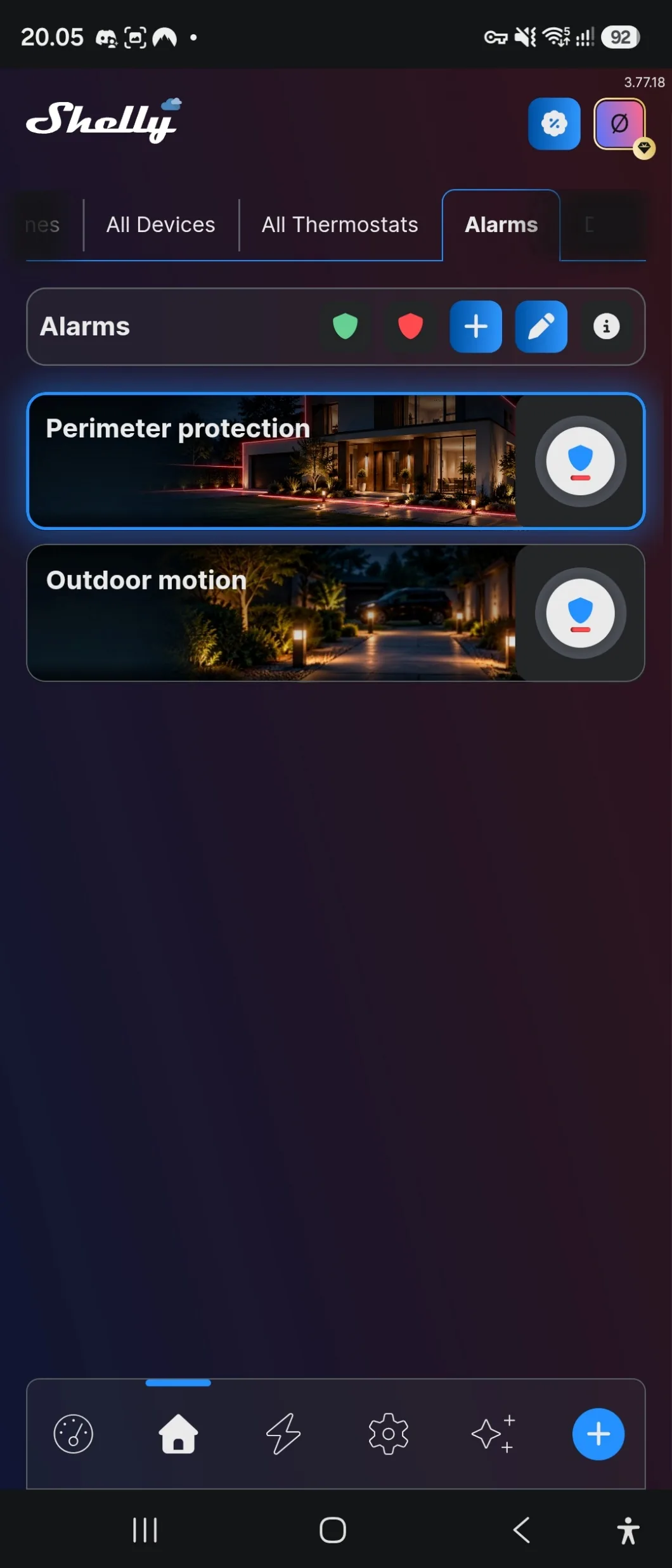
An alarm zone tells you the moment something moves, or a door or window opens, while the zone is armed. It is created from the sensors you already have in the app.
A zone can sit on the dashboard for quick arming, and it can be armed and disarmed by a scene — which is what makes it practical, because nobody has to remember.
Go to Home, open the Alarms tab and tap the + button.
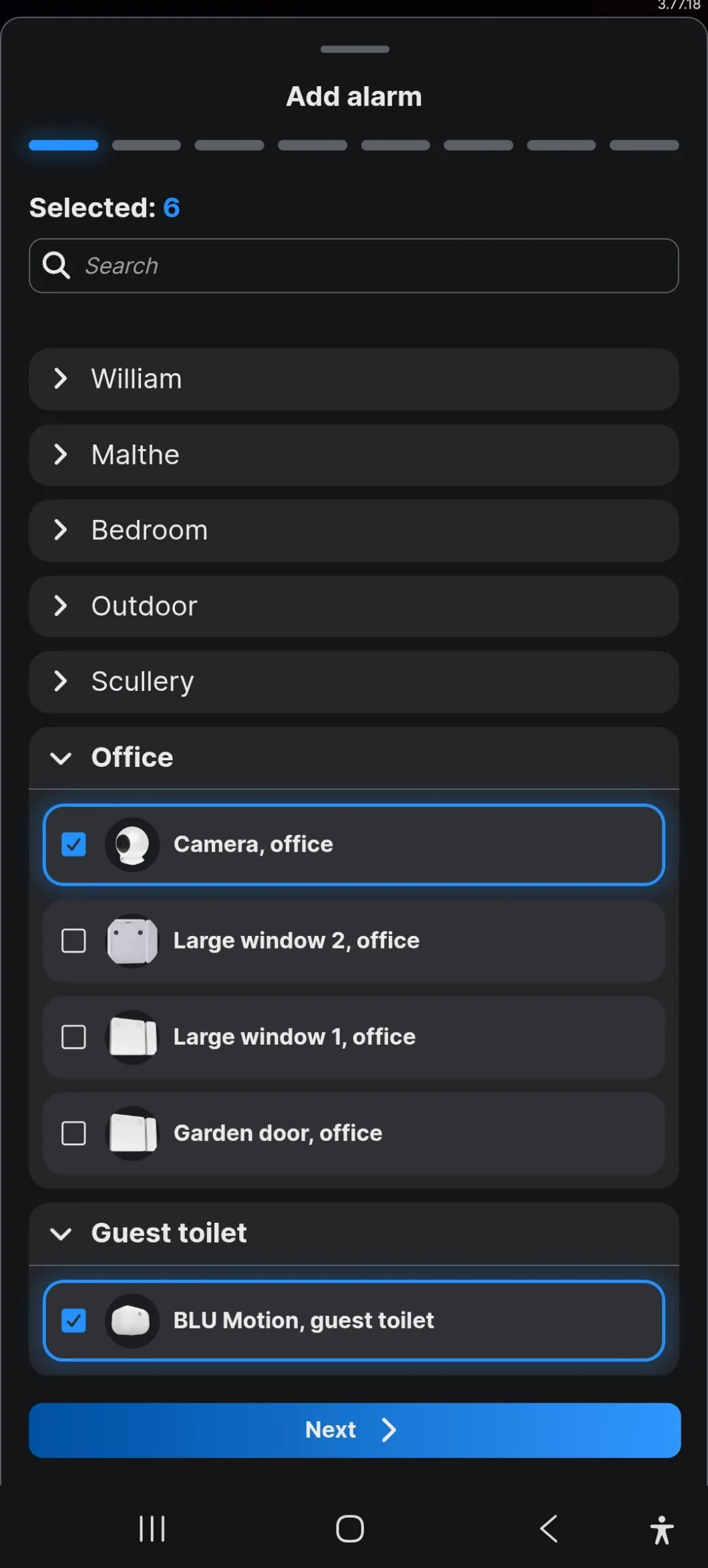
Tick the sensors that belong to the zone. They are listed by room, and the counter at the top shows how many are selected.
One sensor can belong to more than one zone — a hallway sensor can be in both a night zone and an away zone.
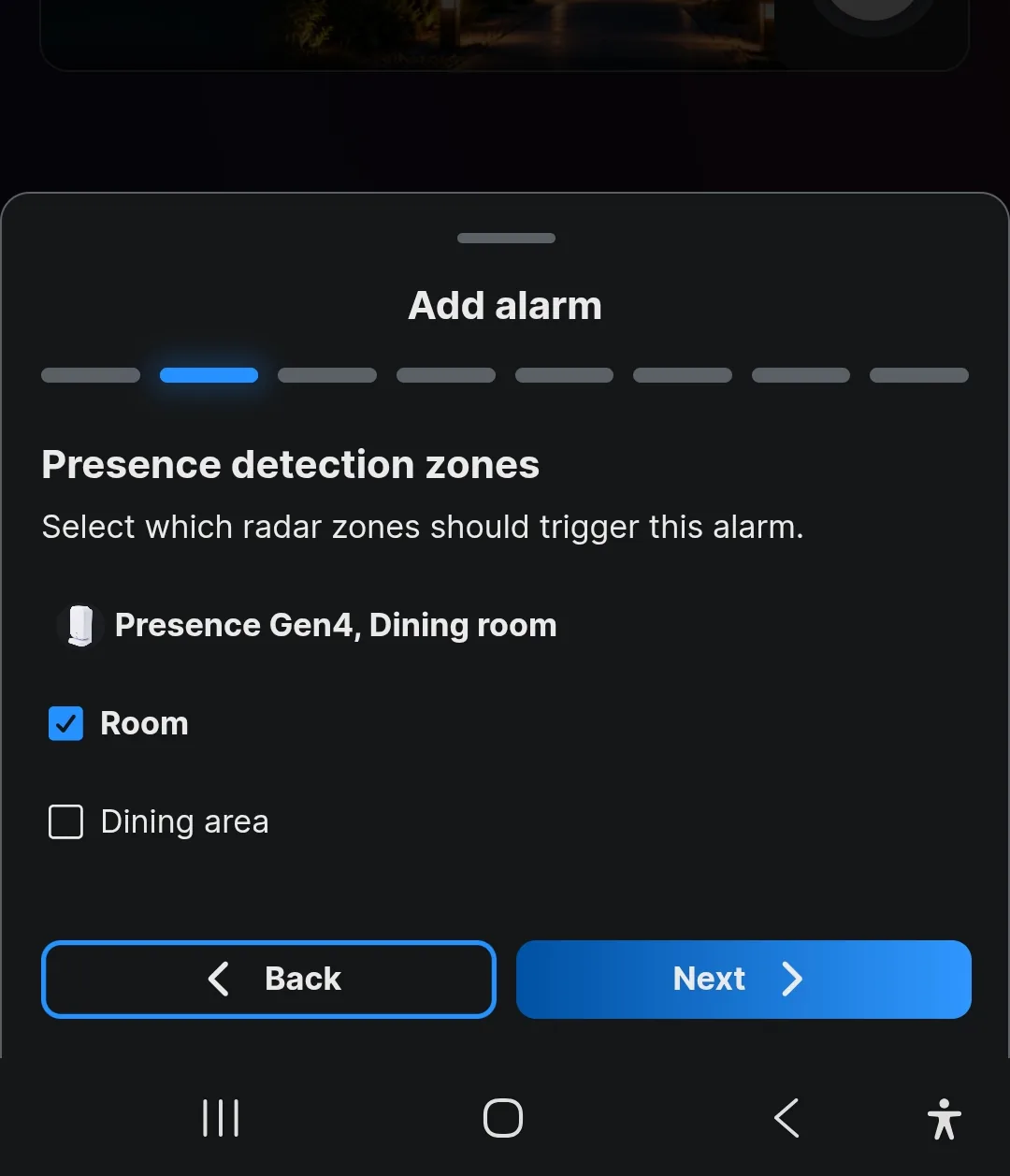
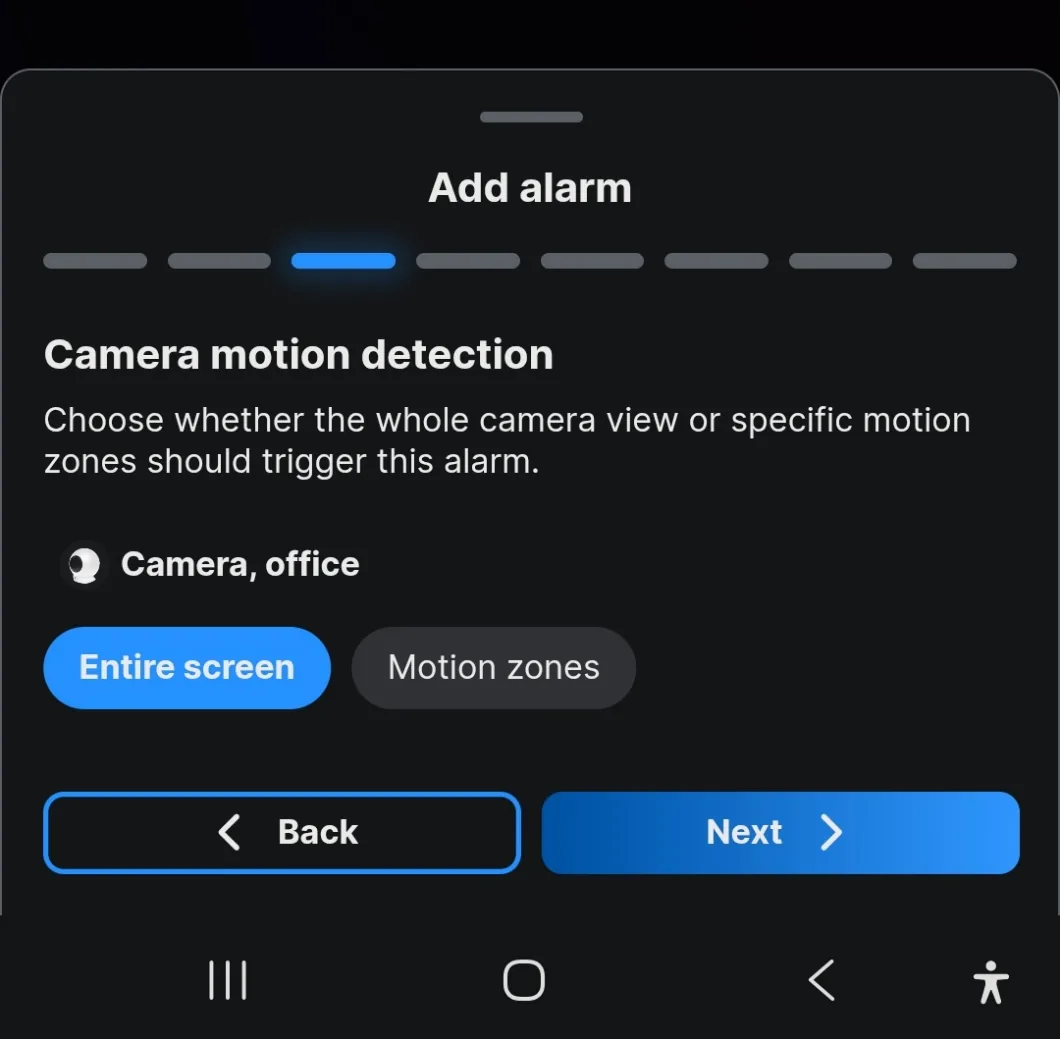
This step only appears if the zone contains a Shelly Presence or a Shelly Camera. Both can see more than one area, so the app asks which of those areas should trigger the alarm.
On a Presence, tick the radar zones you want. A dining area you walk through at night can stay out while the rest of the room stays in.
On a Camera, choose the whole view or only the motion zones you have drawn.
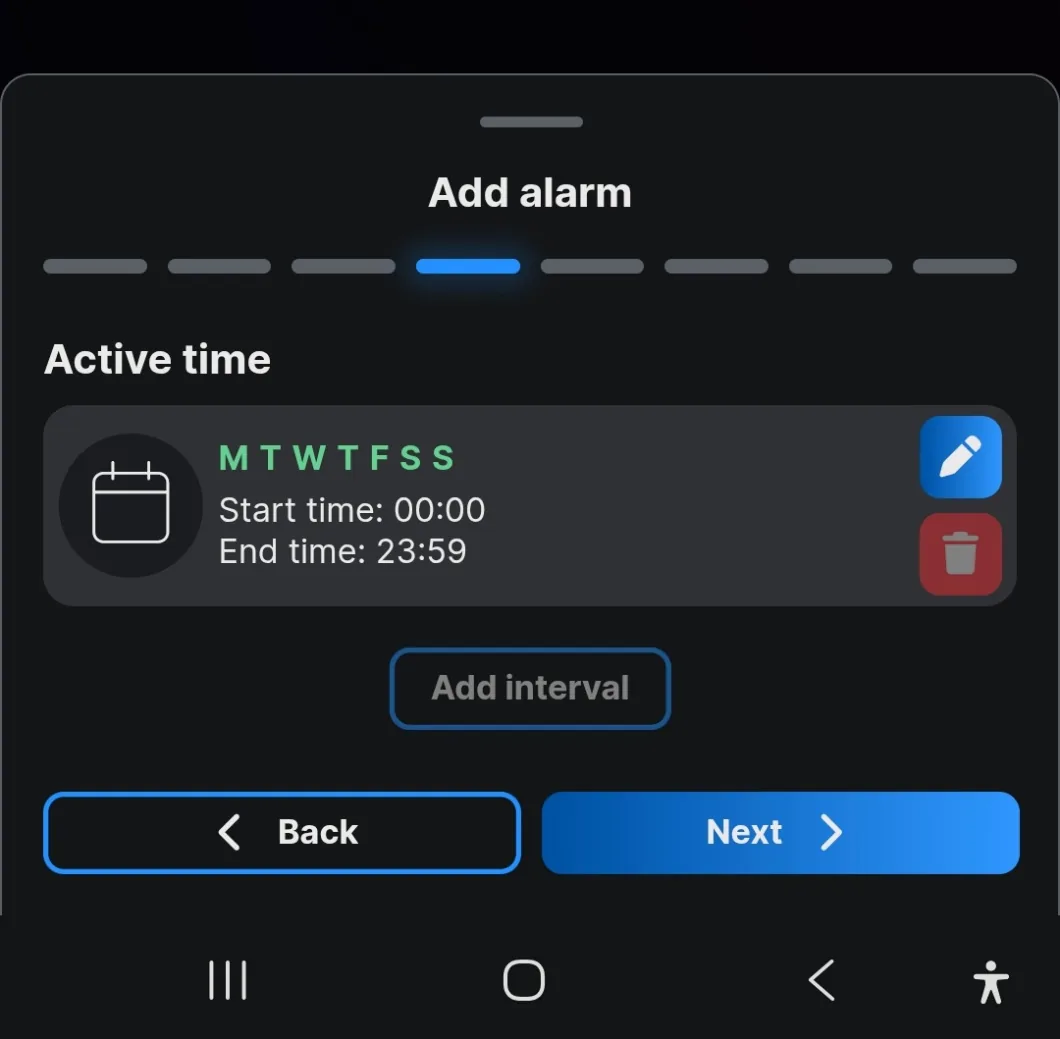
The period the zone is allowed to be armed. It runs all day on every day until you narrow it.
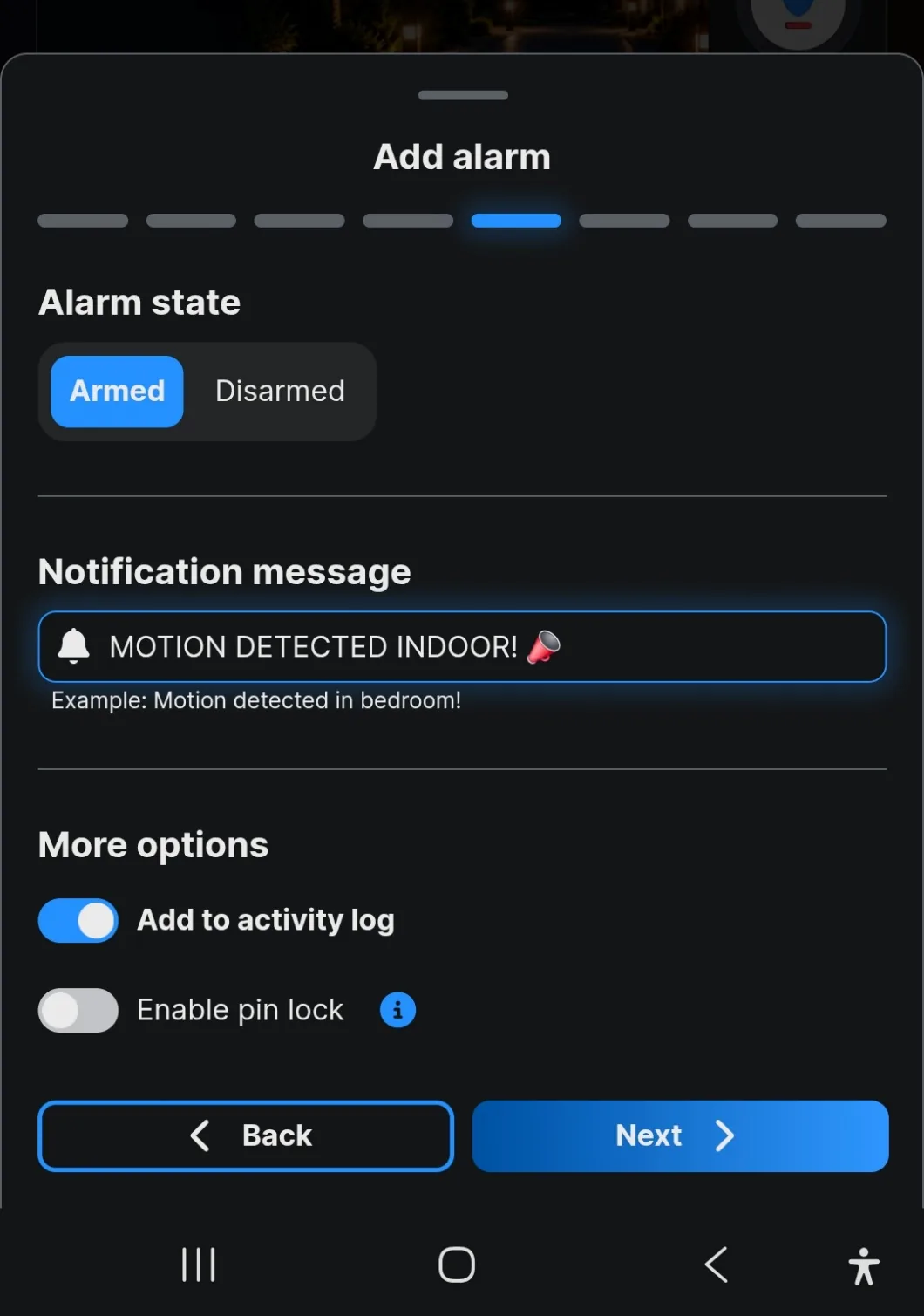
Write the message you want on your phone. Make it say which zone, not just that something happened — a notification reading Motion detected is useless when three zones are armed.
Set whether the zone starts armed or disarmed. Enable pin lock requires a code to disarm it, which is worth having on anything a guest can reach.
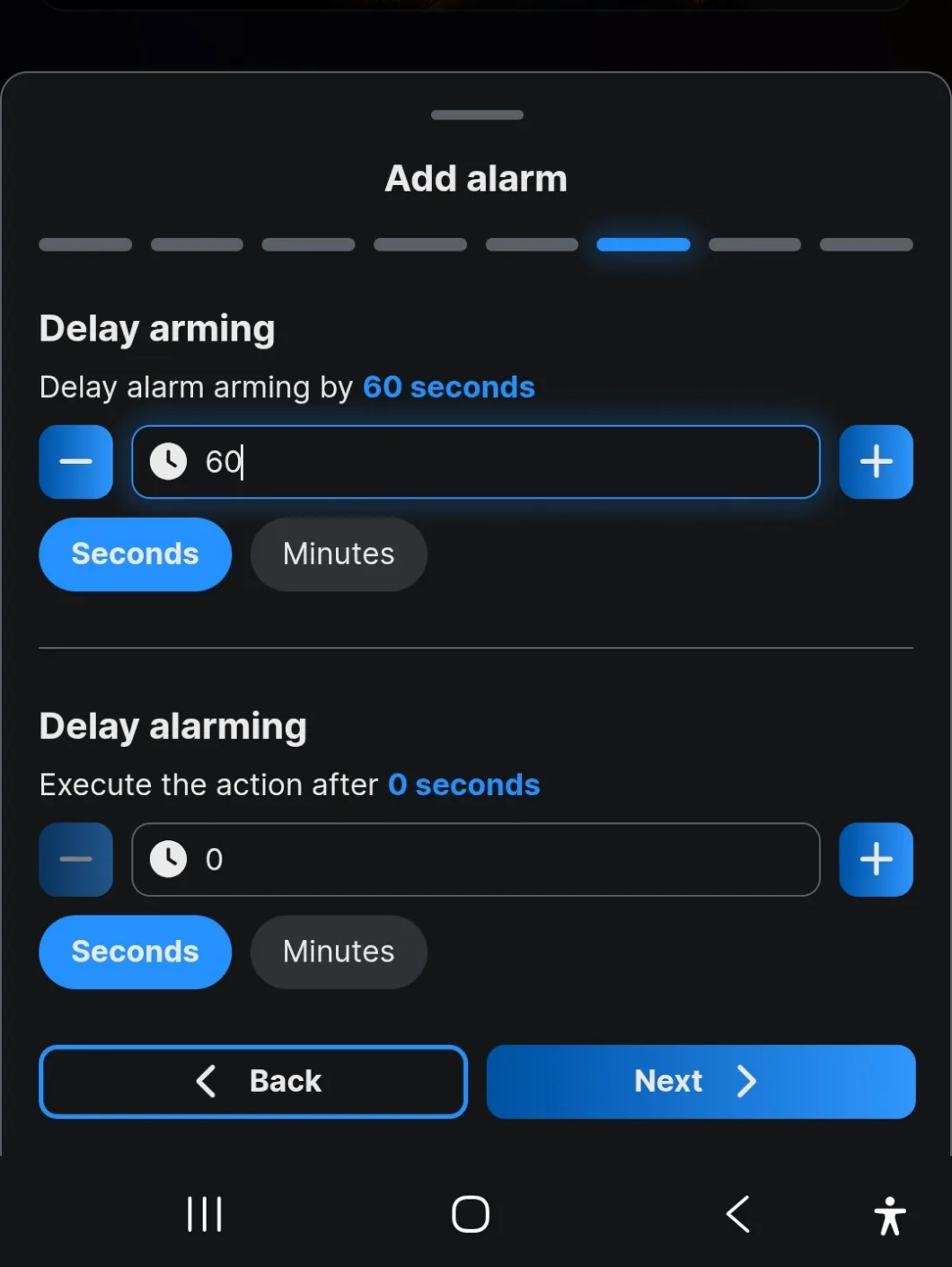
Delay arming gives you time to leave before the zone goes live. Delay alarming gives you time to disarm on the way in before the notification fires.
Without the first, arming the zone on your way out triggers it on your way out.
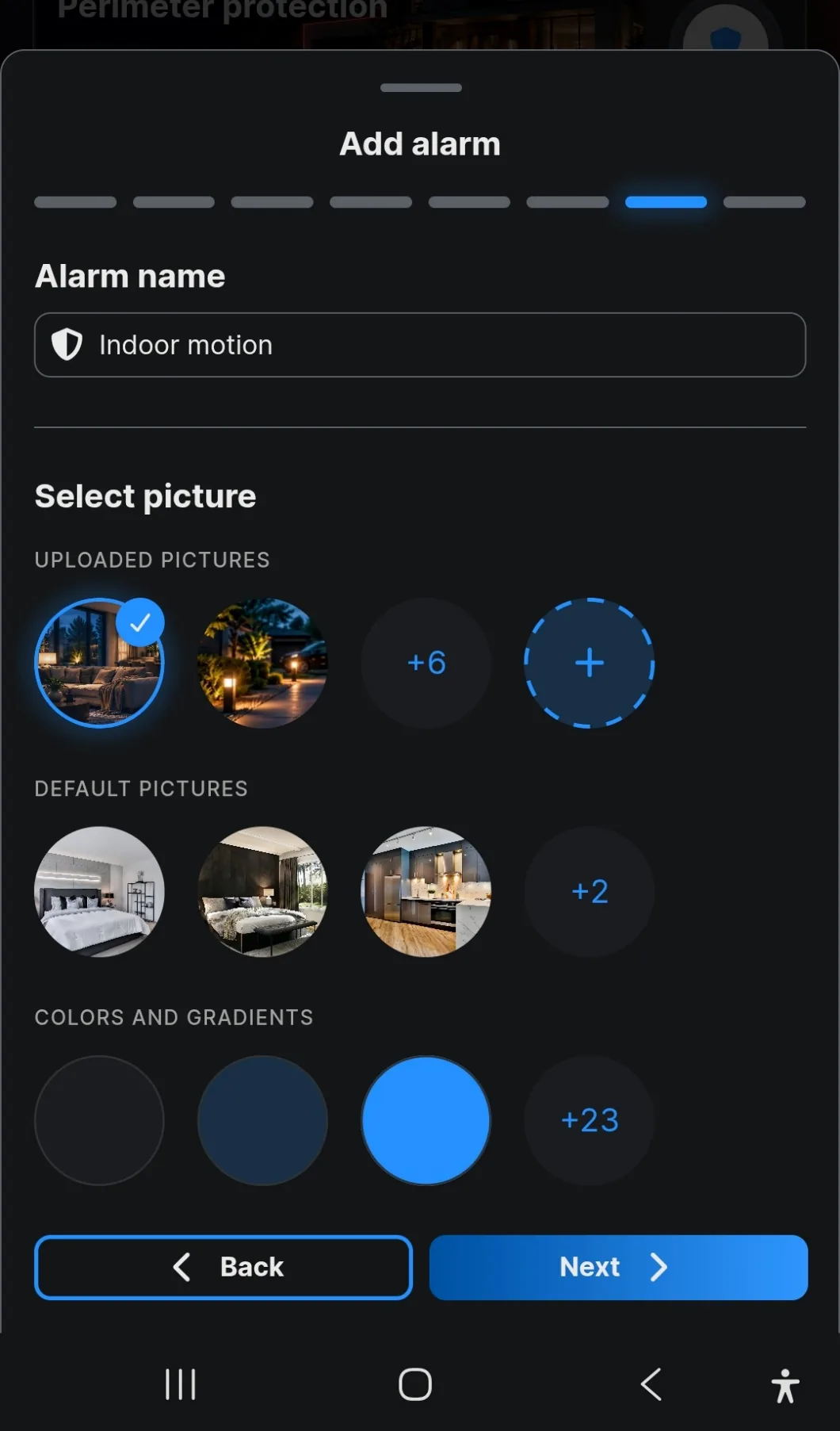
Name the zone after the area, not the sensor. Workshop survives a sensor being replaced; BLU Motion 2 does not.
Then pick a picture or a colour. Red for armed and green for disarmed reads faster than any name on a dashboard.
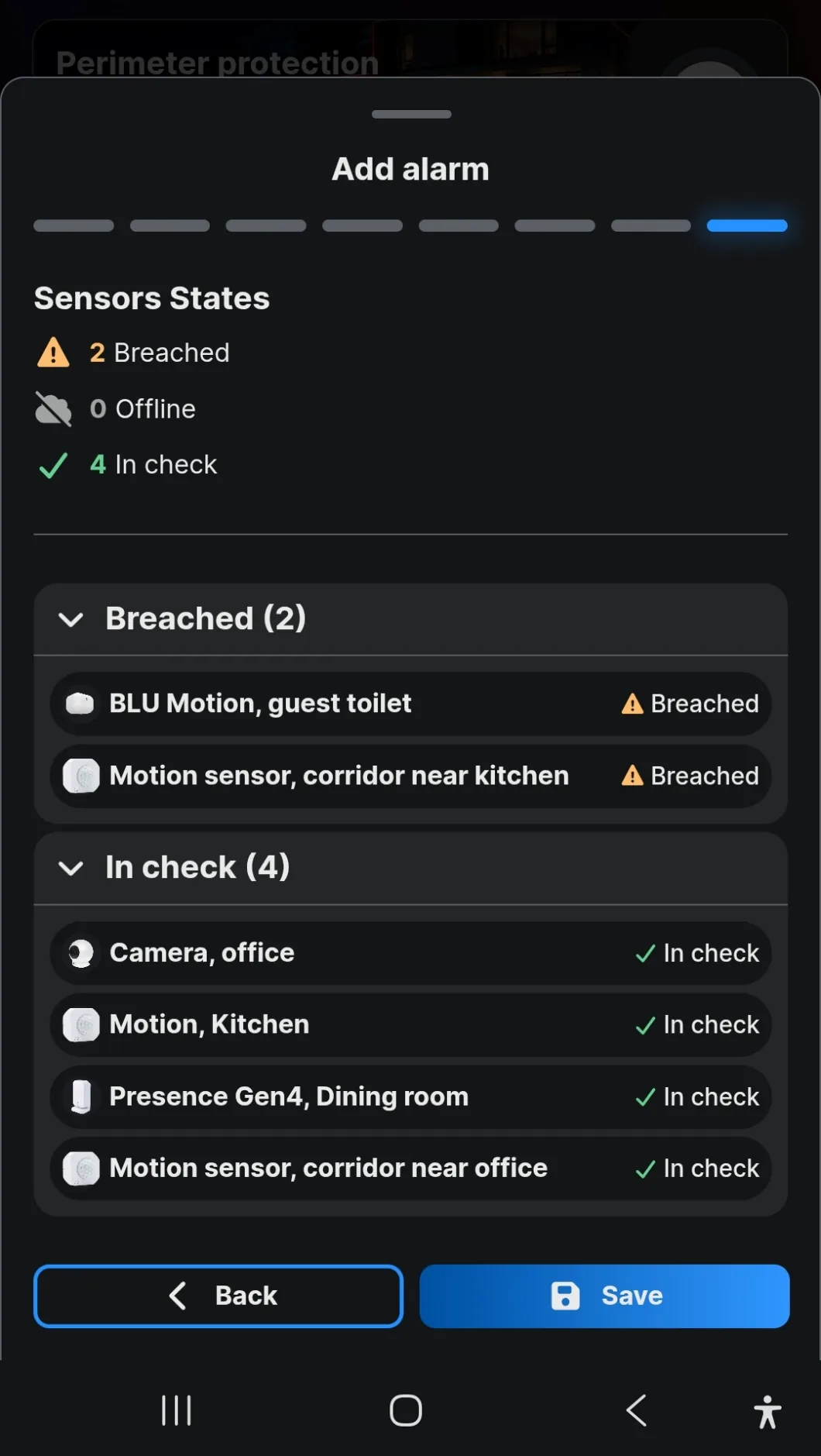
The last screen reports every sensor in the zone as in check, breached or offline. Read it before saving.
Offline is the one that matters. A breached sensor is usually just an open window. An offline sensor is a hole in the zone that reports nothing at all, and the zone will arm anyway.
Creating an alarm zone and setting it up in the app.
Loads YouTube when you press play. Watch on YouTube
By ShellyGuide on YouTube