- Home
- Installations
- Heat pump control
Installations
Heat pump control with Shelly
Run an SG-Ready heat pump on your own solar surplus instead of exporting it.
Updated: August 2026
What SG-Ready means
Smart Grid Ready is a label for equipment prepared for a grid that can ask it to consume more or less. A heat pump carrying it is controlled by two signals — two bits — giving four operating modes: normal running, plus three others that stop the pump, nudge it up, or run it at full power.
The two signals arrive as potential-free contacts on terminals usually marked SG-1 and SG-2. That is all we have to switch.
The application here is not the grid operator’s, but the customer’s own: when the solar array produces more than the house uses, put the surplus into the heat pump instead of exporting it at a poor rate.
Most SG-Ready pumps are listed in the German heat pump association’s database.
What you need
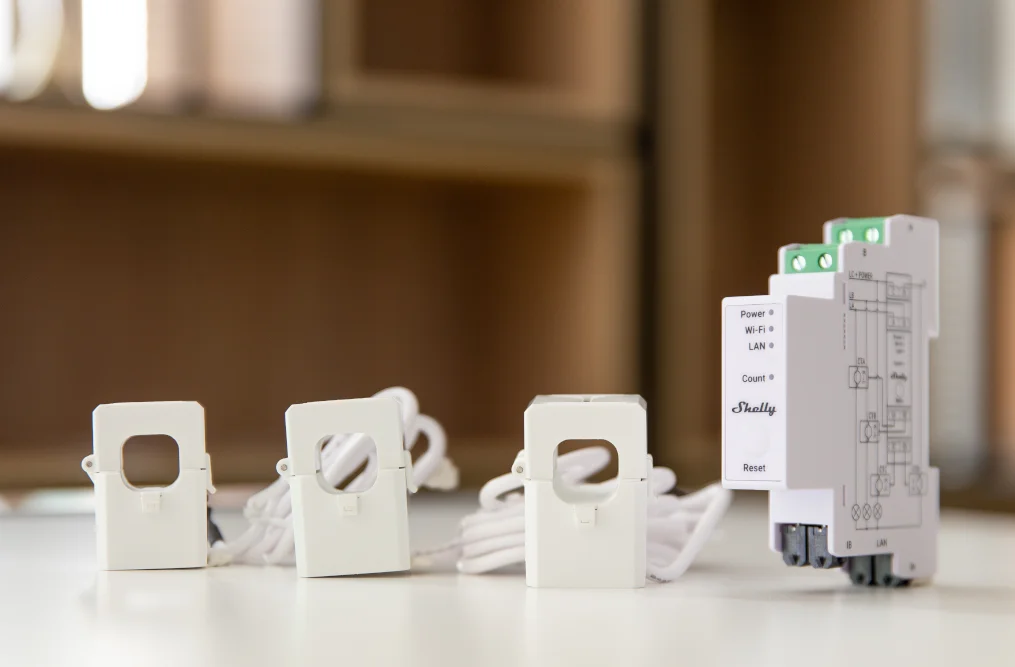
A Shelly Pro 3EM to measure import and export
Fitted between the meter and the supply side of the RCD. It tells you whether the house is currently importing or exporting, which is the whole trigger for this setup.
Two things must be right or the readings will be reversed: the current transformers have to face the correct direction, and the device must be supplied from the phases it measures.
Two dry contacts for the SG terminals
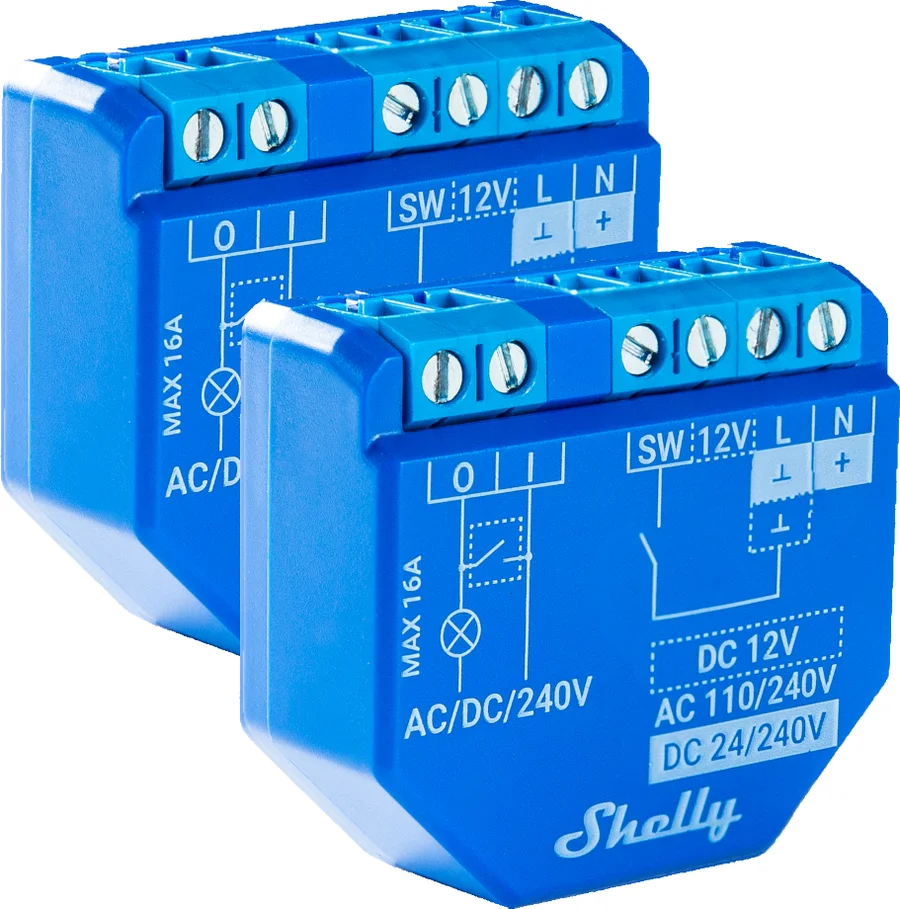
Two terminal sets have to be switched, so you need two potential-free contacts. Either works:
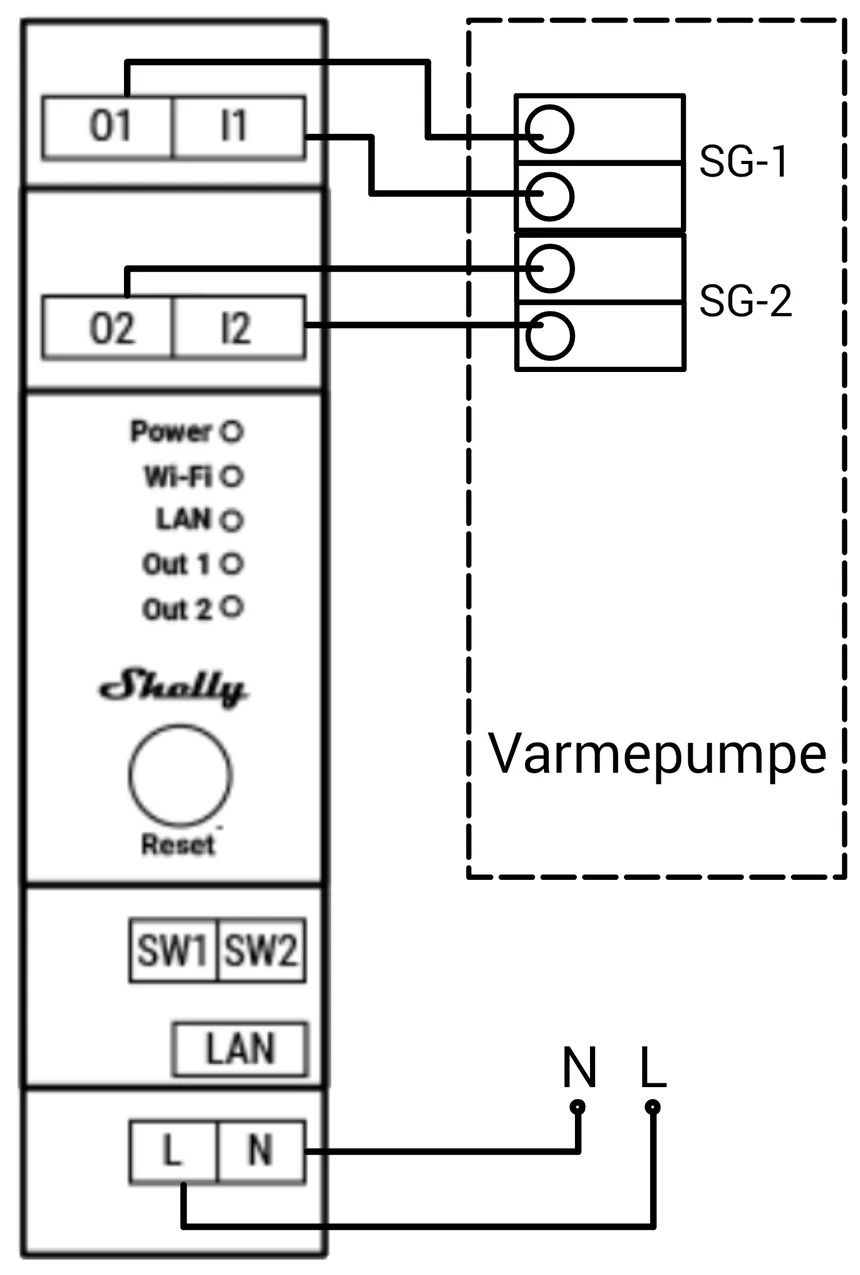
- One Shelly Pro 2 — two dry contacts in one DIN-rail device. The tidier option.
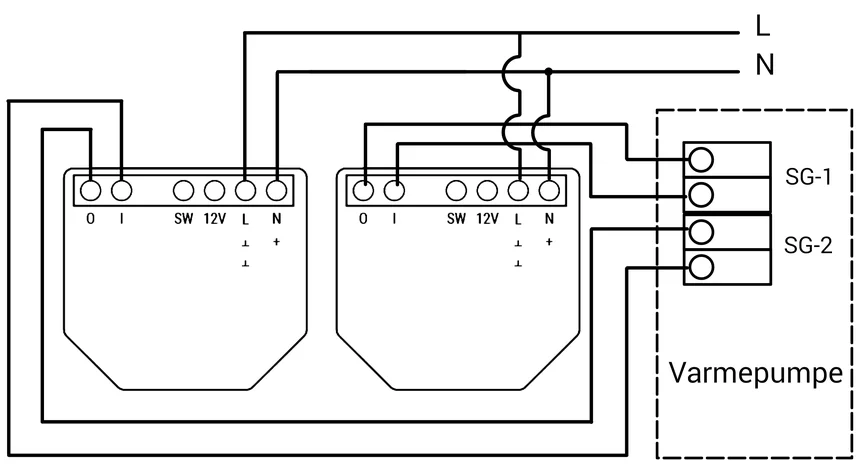
- Two Shelly Plus 1 — one dry contact each, where DIN space is tight or the pump sits away from the board.
Wiring the SG terminals
Connect one contact to SG-1 and the other to SG-2. Nothing in the pump’s power circuit is touched — these are signal terminals only.
The two scenes
Shelly calls automations Scenes. Build them in Shelly Smart Control or at control.shelly.cloud. You need two: one that enters boost, one that returns to normal.
Scene 1 — enter boost on surplus
When: Shelly Pro 3EM, sum of all phases, less than −1000 W Do: switch on SG-1, switch on SG-2
A negative sum means the house is exporting. −1000 W says a kilowatt is going out to the grid that the pump could be using.
Scene 2 — return to normal
When: Shelly Pro 3EM, sum of all phases, more than 500 W Do: switch off SG-1, switch off SG-2
Both thresholds are starting points, not settings. Set them from the customer’s actual array and consumption — and keep a gap between them, or the pump will switch back and forth every time a cloud passes.
The same reasoning governs the gap on a room thermostat, at a different scale — see hysteresis.
Tips & best practices
- Keep the two thresholds apart. Switching in at −1000 W and out at 500 W gives 1.5 kW of hysteresis. Narrow that and the pump cycles on passing clouds, which is hard on the compressor.
- Check the transformer direction on commissioning. Reversed transformers produce a setup that boosts when the house is importing — the exact opposite of the intention, and it will not be obvious from the app.
- Combine with price control. Surplus is one reason to run the pump; a cheap hour is another. See live electricity prices.
- Tell the customer what boost means for comfort. The pump will run at times it otherwise would not. That is the point, but it should not be a surprise.
- A heat pump is a large load. Verify the SG mode is what you intended before leaving, and log a week of consumption before declaring a saving.